Know before you're charged.
Every subscription, free trial and UPI AutoPay in one place — with a reminder before money leaves your account, so you can cut the ones you don't use.
Coming soon to the App Store. Free to start.
This is a demo — tap any row.
31 seconds · real app footage · tap for sound
AutoPay makes forgetting easy.
Loopcut tells you what's about to charge you — before it does.
Small each. Thousands a year.
The gym you stopped going to. The free trial that turned paid. The OTT plan from one cricket series. AutoPay keeps paying for all of them.
One list. One total.
GPay, PhonePe, your card, the App Store, the broadband bill — no other app sees them together. Share a bank SMS or a screenshot and it's added.
Free for 5. ₹299 once.
Track up to five for free. Unlimited is a single ₹299 payment — a subscription tracker shouldn't be another subscription.
No typing. No bank login.
Hand Loopcut what you already have. It reads it on your iPhone and keeps watch from there.
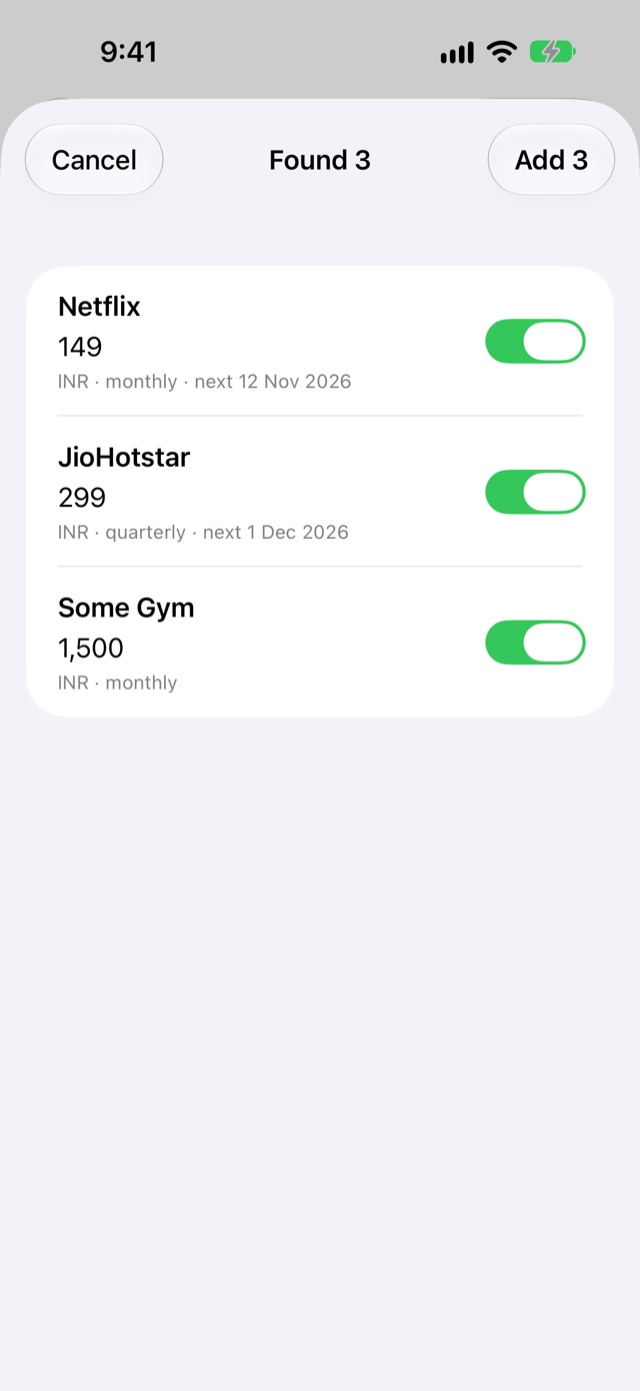
Share a screenshot or SMS
Share from GPay, PhonePe, Photos or Messages — or paste a bank alert. Loopcut finds the service, the amount actually charged and when it's due.
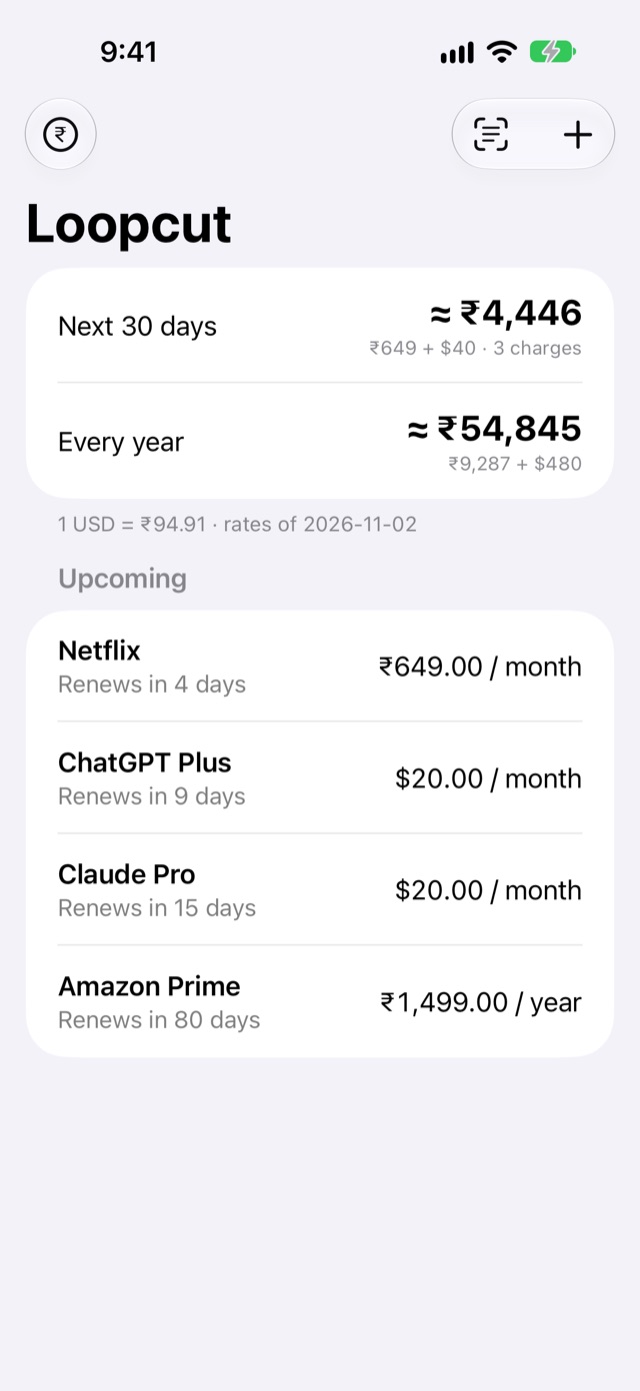
See what it really costs
What leaves your account in the next 30 days, and what a whole year costs — rupees and dollars together, at today's rate.
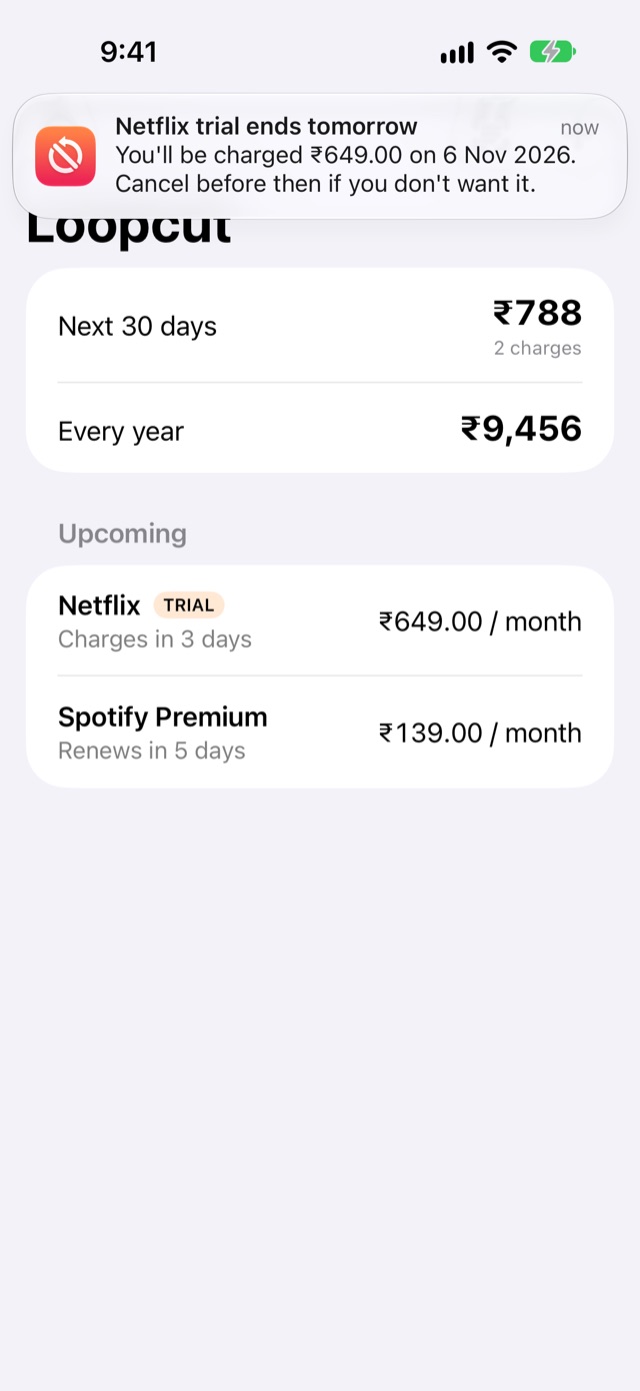
Get told before you pay
A heads-up before every renewal, and a countdown before a free trial turns into a charge. Cancel in time — or keep it, knowingly.
Built for how India pays.
Timed so you can still act.
At 9 am, on the days that matter.
- 3 days beforea free trial ends
- 1 day before"You'll be charged ₹649 tomorrow"
- The morning oflast chance to cancel
- 2 days beforeevery renewal
Not "Up to ₹6,500". On AutoPay screens Loopcut takes what you're actually charged, and works out the cycle from your payment history.
ChatGPT in dollars, Netflix in rupees — added up at today's exchange rate, in Indian numbering.
Only what still charges you.
Cancelled AutoPays, expired App Store subscriptions and failed debits are left out. Ones you already track aren't added twice.
One tap to the exit.
Swipe a subscription to jump to that service's own cancel page.
Wrong price? Tap to fix.
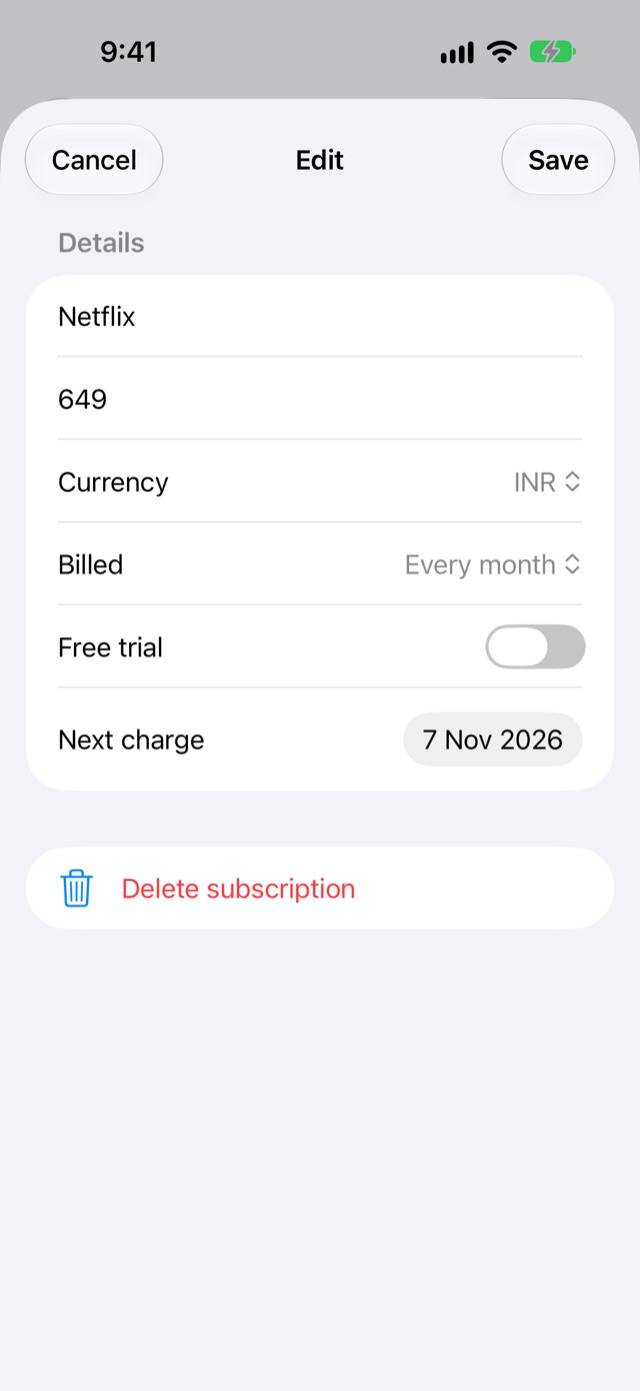
Everything Loopcut reads is shown to you first, and anything can be edited or deleted later. Nothing is added without your tap.
Your money stays your business.
Loopcut has no account, no servers holding your data, and no idea what you subscribe to. It never sees your bank.
Read the privacy policy- Read on your iPhoneScreenshots and messages are read with Apple's on-device text recognition and Apple Intelligence. Nothing is uploaded.
- No bank loginYou choose what to share. Account numbers and OTPs are masked before anything is read.
- No tracking, no adsNo analytics, no account, no data sold or shared. Delete the app and your list is gone.
Questions.
Does Loopcut cancel subscriptions for me?
No — it makes sure you hear about each charge in time, and links you to that service's own cancel page. You stay in control of what's cancelled.
How does it find my UPI AutoPays?
Open an AutoPay in GPay or PhonePe and share it to Loopcut, or take a screenshot and import it. It reads the amount actually charged — not the mandate's "Up to" limit — and skips mandates whose debits were all cancelled.
Can it read my bank SMS automatically?
iOS doesn't let any app read your messages, so you choose: select a bank alert and share it to Loopcut, or copy and paste it. Several messages can be pasted at once.
What if it reads something wrong?
Everything goes through a review screen first, where you can untick items or fix the price. Anything saved can be edited or deleted with a tap.
Which iPhones does it work on?
iPhones running iOS 17 or later. On iPhones with Apple Intelligence, unusual messages and receipts are read even better — still entirely on the device.
Why does my total say "≈"?
If you pay in more than one currency, Loopcut adds them up at that day's exchange rate. Your bank's rate and card fees will differ slightly, so the total is shown as approximate.
Cut the loop.
Loopcut is coming to the App Store. Leave your email and we'll tell you the day it's live — nothing else.